
Can I test Instagram ads in junbi?
Testing Instagram video ads in junbi enables you to analyze how well your Reels or feed videos capture Brand Attention and maintain Cognitive Ease. While junbi utilizes YouTube-based predictive models and benchmarks, running your Instagram video assets through the platform provides essential diagnostic data on visual focus and clarity.
The Strategic Value
Instagram is a heavily visual platform where users decide to keep watching or swipe away in milliseconds. Analyzing your video creative in junbi helps you optimize your visual hierarchy, ensuring that visual clutter does not overwhelm the viewer and that your core message is absorbed immediately.
Step-by-Step Upload Workflow
- Prepare your Instagram video file in an MP4, MOV, or M4V format.
- Log into your junbi workspace and click the Upload ad button.
- Provide your ad details and choose your brand name from the Brand Name dropdown list.
-
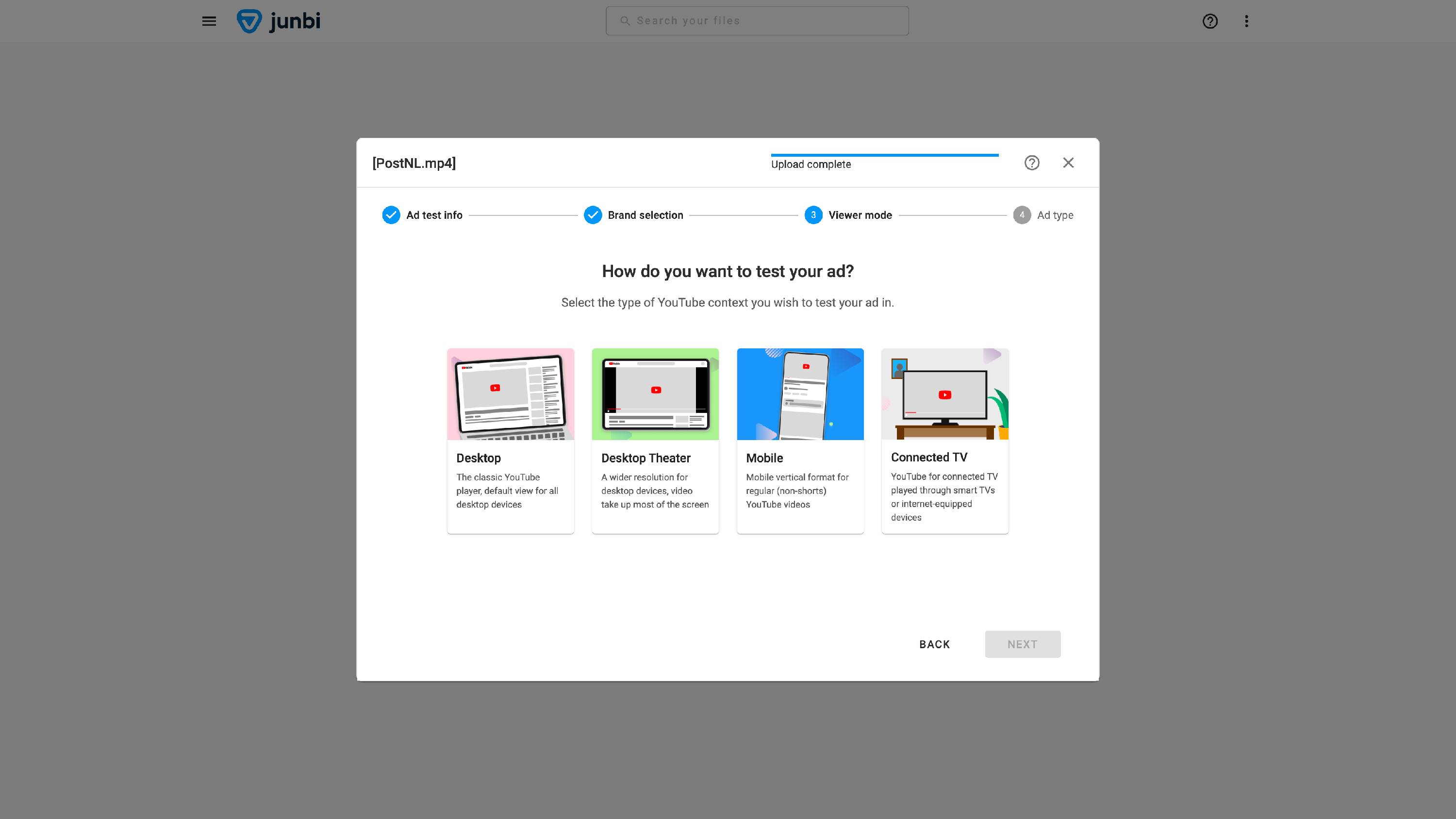
Select the Mobile viewer mode to mirror the vertical, small-screen smartphone experience of Instagram users.
- Choose the standard ad type that matches the duration of your Instagram creative.
- Click the Run prediction button to generate your performance report.
- Review your Brand Attention over time and Cognitive Ease over time metrics to ensure your key visual hooks succeed.
Note: For static Instagram image ads that require layout testing with platform interface overlays, you can analyze image files using expoze.
💡 Pro Tip:
Front-load your core visual hook. Instagram users swipe through content at high speeds, so placing your logo or primary brand identifier in the first three to five seconds is crucial. Check your second-by-second Brand Attention graph in junbi to confirm that your logo achieves strong attention during those opening moments.