
Brand Attention: Optimization Strategies
Brand Attention is a core metric in junbi that measures how effectively your brand assets capture and retain visual attention during your video ad. If your ad has a low score, it indicates that viewers are missing your branding entirely, usually because other visual elements on the screen are distracting them.
The Strategic Value
Your brand needs to be recognized, not just present on the screen. According to the Primacy and Recency Effect, viewers are highly likely to remember what they see first and last in a video. Optimizing your visual hierarchy ensures your brand is prominent during these critical windows, driving strong brand recall.
Step-by-Step Optimization Workflow
- Identify the dip: Log into your junbi dashboard and open your tested video report. Scroll to the Effectiveness drivers over time graph and click the eye icons next to Ad Breakthrough and Cognitive Ease to isolate the yellow Brand Attention line. Mark the exact timestamps where the line falls below your benchmark.
- Locate the frames: Open your video editing software and jump to those exact timestamps on your project timeline.
- Apply visual adjustments: Modify the low-performing frames to optimize brand visibility. Focus on these core creative strategies:
- Place your logo at the beginning and end: Ensure your logo appears within the first 5 seconds of your video and remains visible for at least 2 seconds at the very end of the ad.
- Avoid placing your logo next to human faces: Human faces naturally attract visual attention. If your logo is positioned too close to a face, it will be ignored. Keep them physically separated on the screen.
- Ensure your logo is large enough: A tiny logo is easily overlooked. Scale the logo so it is immediately recognizable without cluttering the frame.
-
Use high visual contrast: Ensure your logo stands out against its immediate background. Avoid placing a light logo on a light background. Use bold, contrasting colors to make the logo pop.
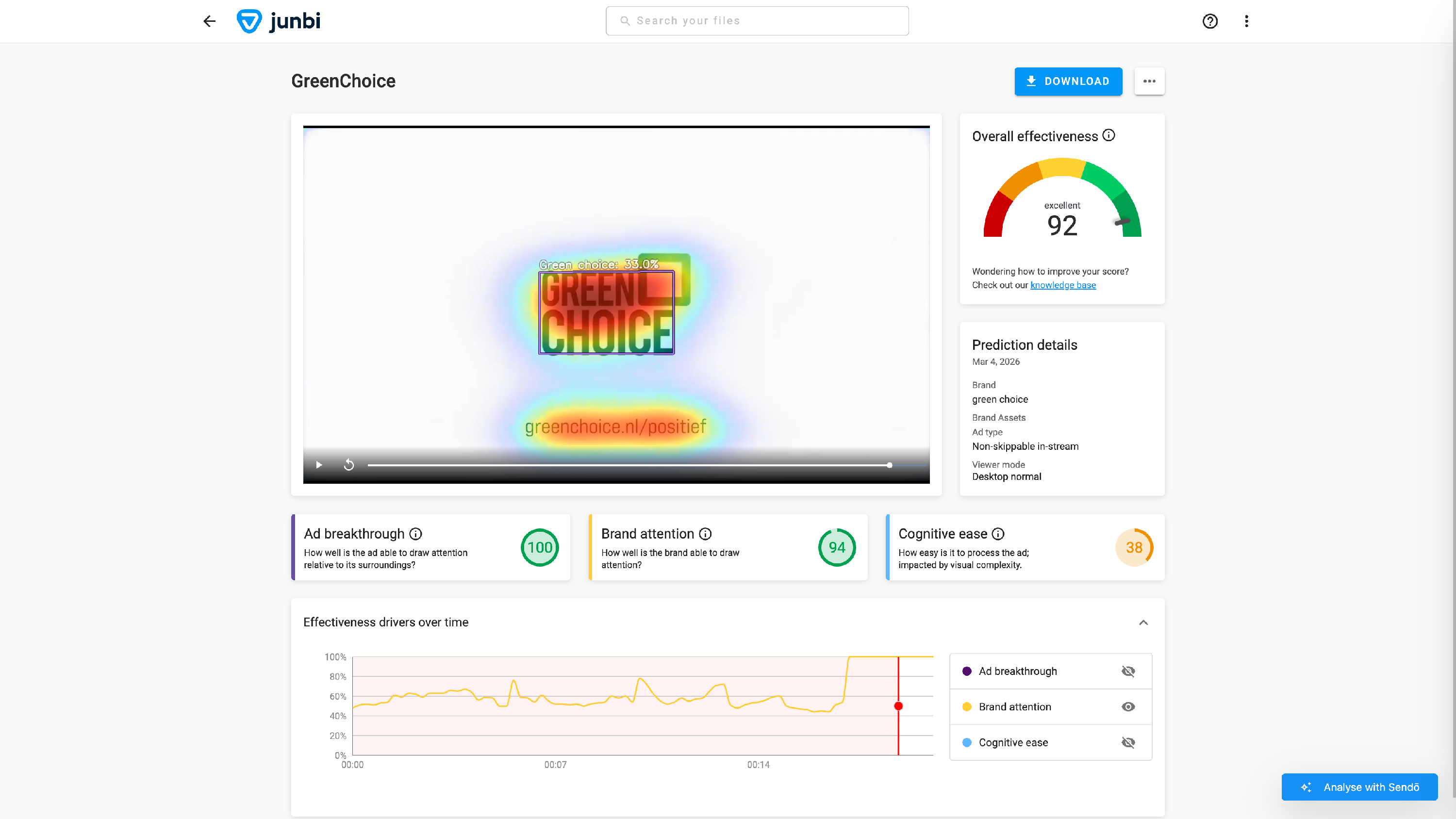
- Show the logo more frequently in longer ads: If your video is 30 seconds or longer, showing your logo only at the start and end is not enough. Place the logo at least once in the middle of the timeline to reinforce your brand presence.
- Keep the branding on screen longer: Visual processing takes time. Keep your branding visible for at least 2 consecutive seconds so it actually registers in the viewer's memory.
- Consider persistent corner placement: For continuous brand exposure, place your logo subtly in one of the corners of the screen throughout the entire video.
- Re-upload to verify: Export your updated video file and upload it back to junbi. Make sure to select the exact same Ad Type and Viewer Mode during setup to ensure a scientifically accurate comparison of your before-and-after results.
💡 Pro Tip:
Leverage surgical edits. You do not need to rewrite your script to fix a low score. Often, simply increasing the size of your logo, shifting its screen position away from a face, or boosting the background contrast during your lowest-performing seconds is all it takes to see your score rise on your next test.